
In this article we give a quick overview of all the functionalities of GHEtool Cloud as they are available in August 2025. The goal is to show what the possibilities are, how you can get started and where you can find more information related to specific methods.
What is GHEtool Cloud?
GHEtool Cloud is a cloud based borefield sizing tool which is both fast and easy to use for small projects and extremely versatile and advanced for more demanding projects. If you are working in the geothermal domain and need to design shallow geothermal borefields, GHEtool is exactly the tool you need. In the following subsections we go over some of the key features of GHEtool and refer you to the relevant articles on these topics.
Creating an account
If you go to https://cloud.ghetool.eu/register you can register an account for free. Once you have confirmed your email address you can start a 14 day free trial period of the tool without any limitations so you can try out all the powerful features for yourself.
!Note
If you register for a demo call with the founder you get an extra 14 days in your trial period for a total of 4 weeks. This way you can really try out the tool to the fullest and experience the benefits it can bring to your design activities.
What type of inputs can GHEtool handle?
The first step in making an accurate geothermal simulation is to provide the data as accurately and in as much detail as possible. Besides being able to define some general simulation settings as well as the pipe and fluid parameters, GHEtool has some extra options to really improve your design work.
Ground layers
Traditionally, the ground in geothermal simulations is modelled as one homogeneous layer with a single conductivity and volumetric heat capacity. However, when you are in a very heterogeneous ground (for example with a sand layer on top of solid rock), this can lead to wrong results when you calculate the required borehole depth. Therefore, in GHEtool it is possible to enter the ground layer by layer.
More information on ground layers can be found here.
Custom borefields
GHEtool does not work with a limited number of preconfigured borefields, but allows you to design with the borefield you have. If you have a project where part of the borefield is under the building and part is just under the ground surface, or you have a borefield with tilted boreholes, every borefield you can imagine can be modelled with GHEtool. You can even import borefields from a CAD file.
More information on tilted boreholes can be found here. An article on working with custom borefields can be found here.

Hourly and multi yearly loads
For feasibility studies, geothermal simulations are often done with a monthly load resolution. However, for more accurate results, it is possible to load an hourly profile directly from a dynamic simulation software into GHEtool. For phased projects, where the building demand changes over the years, you also have the option to import a multi year load.
For more information about working with hourly loads, the reader is referred to this article.
Methods in GHEtool
Below you can find a short overview of all the different methods and simulation aims in GHEtool Cloud.
Simulate temperature profile
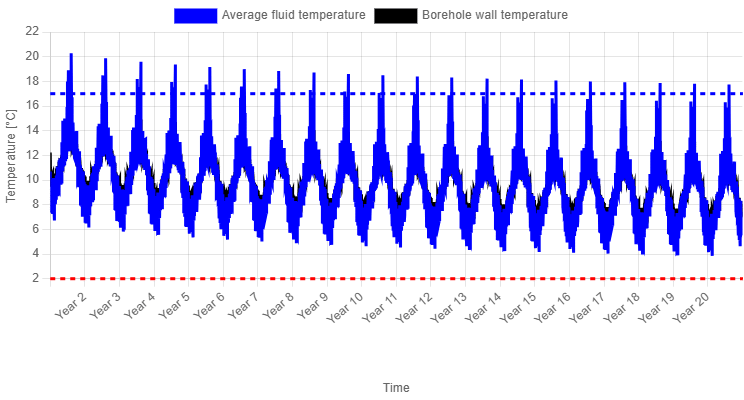
The traditional way to simulate borefields is by entering the borefield design, ground parameters, borehole internals and your load profile, and simulating how the temperature evolves over the simulation period. Although every geothermal simulation tool has this basic functionality and the graphs look the same in the end, what is going on in the background defines your accuracy.
With GHEtool we have made some major changes related to accuracy by incorporating varying fluid properties, which you can read about here.
Calculate required depth
When you have no depth restrictions, GHEtool can calculate the required borehole depth to put 100 percent of the load onto the borefield, taking into account both the maximum and minimum average fluid temperature limits. Especially when combined with the pressure drop calculation, this can be very valuable in regions where deep boreholes are common.
More information on this method can be found here.
!Caution
Whenever you have a significant cooling demand, this method can sometimes cause a gradient error. This means there is no solution where both the minimum and maximum average fluid temperature thresholds are kept. More on this error and why it occurs can be found here.
Simulate active and passive cooling
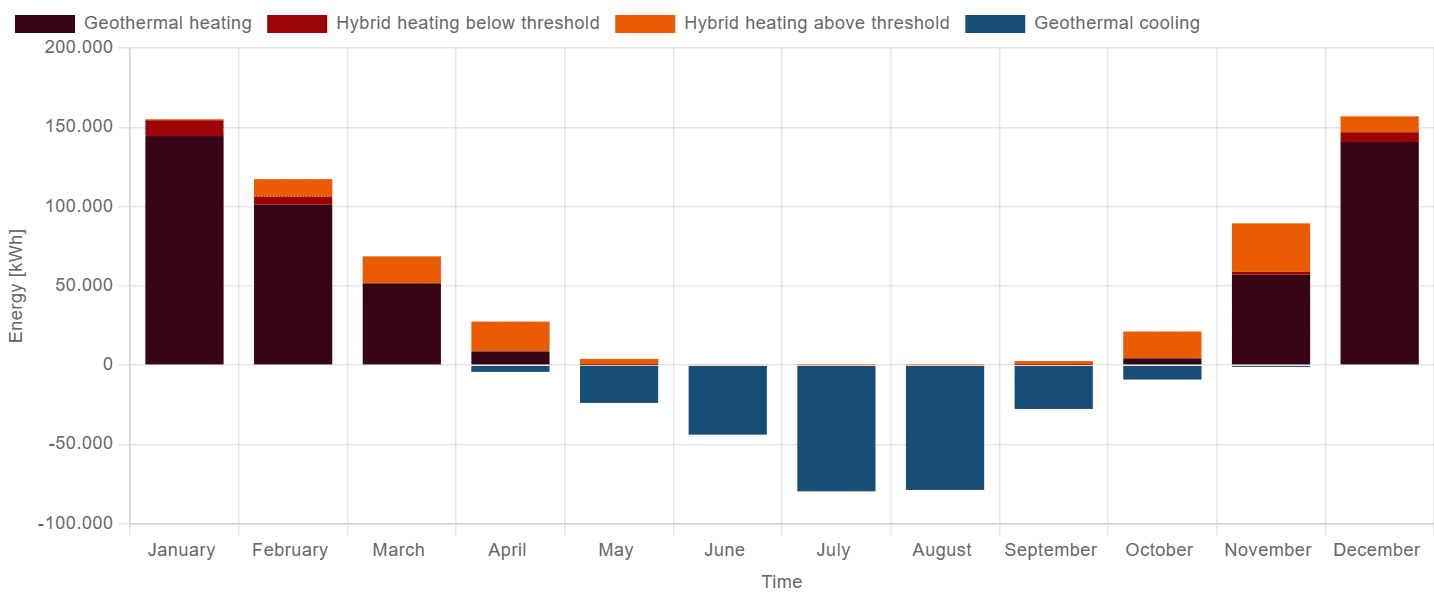
With cooling becoming increasingly important, GHEtool offers a methodology to combine both passive (also called free) cooling with active cooling. This combination can be done either by using a temperature threshold (where passive cooling is the default option and active cooling is used when the fluid temperature crosses a certain threshold) or by using default active cooling in certain months.
For more information about the combination of active and passive cooling, the reader is referred to this article.

Simulate hybrid systems
In more and more cases, geothermal systems are combined with other technologies such as an air source heat pump or gas boilers (for example in a renovation context). These systems are called hybrid since multiple technologies work together to heat and cool your building. Within GHEtool you have the option to simulate such hybrid systems without having to specify exactly which technologies you are combining. The only parameters you need to fill in are 1) what power is available and 2) above (or below) which outside temperature this hybrid system is the preferred way of heating or cooling.
More information about the simulation of hybrid systems can be found here.
Optimise hybrid systems
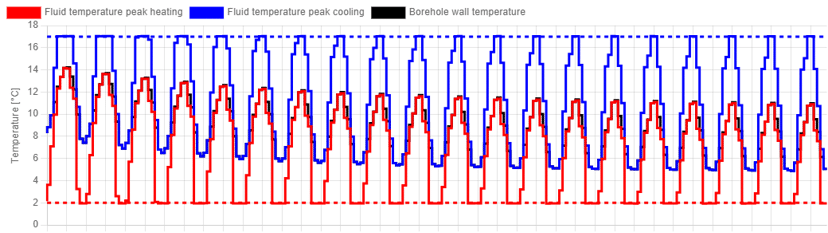
Besides simulating hybrid systems, GHEtool can also optimise hybrid systems for you. This is particularly useful when you have a project with a limited budget or space to install a borefield and you want to know what share the geothermal system can have in the entire heating and cooling demand. With GHEtool you can calculate this for three different objectives: maximum geothermal power, maximum geothermal energy and balance.
More information about these methods can be found here (for the optimisation for power and energy) and here (for the optimise for balance method).
Pressure drop calculation
Traditionally, geothermal design software only calculated the thermal results, that is the evolution of the ground and fluid temperatures over time. However, with systems becoming more complicated, hydraulics are also becoming increasingly important. That is why you can easily add a pressure drop calculation to every simulation you do, to check whether the circulation pump is able to deliver your required pressure head.
More information on the pressure drop calculation in GHEtool can be found in the article here.

Automated reporting
One last key advantage of using GHEtool Cloud is the automated reporting capability. Whenever you are done with your simulation, you have the option to create either a summarised report (where every simulation is summarised onto one page) or a full report with all the input and background information, graphs and results.
More information about the reporting module can be found here.
Conclusion
GHEtool Cloud is a versatile and powerful tool for everyone designing geothermal borefields. With detailed input parameters and advanced methods, you are able to design the most accurate borefields for both small projects and large systems.
GHEtool is here to help you design with confidence!
References
- Watch our video explanation over on our YouTube page by clicking here.