
The more simulations you do, the more important it becomes to organise them. That is where our new project management update comes in! In this article, we’ll go over the different tools available in your GHEtool Cloud dashboard to structure your workflow and keep everything nice and organised.
Project management in GHEtool Cloud
Whenever you log in to GHEtool Cloud, you will enter your project dashboard. Here, you can see all the projects you and your colleagues have been working on, ordered chronologically from the most recently modified to projects that have been inactive for some time. Below is a screenshot of what such a project dashboard could look like.
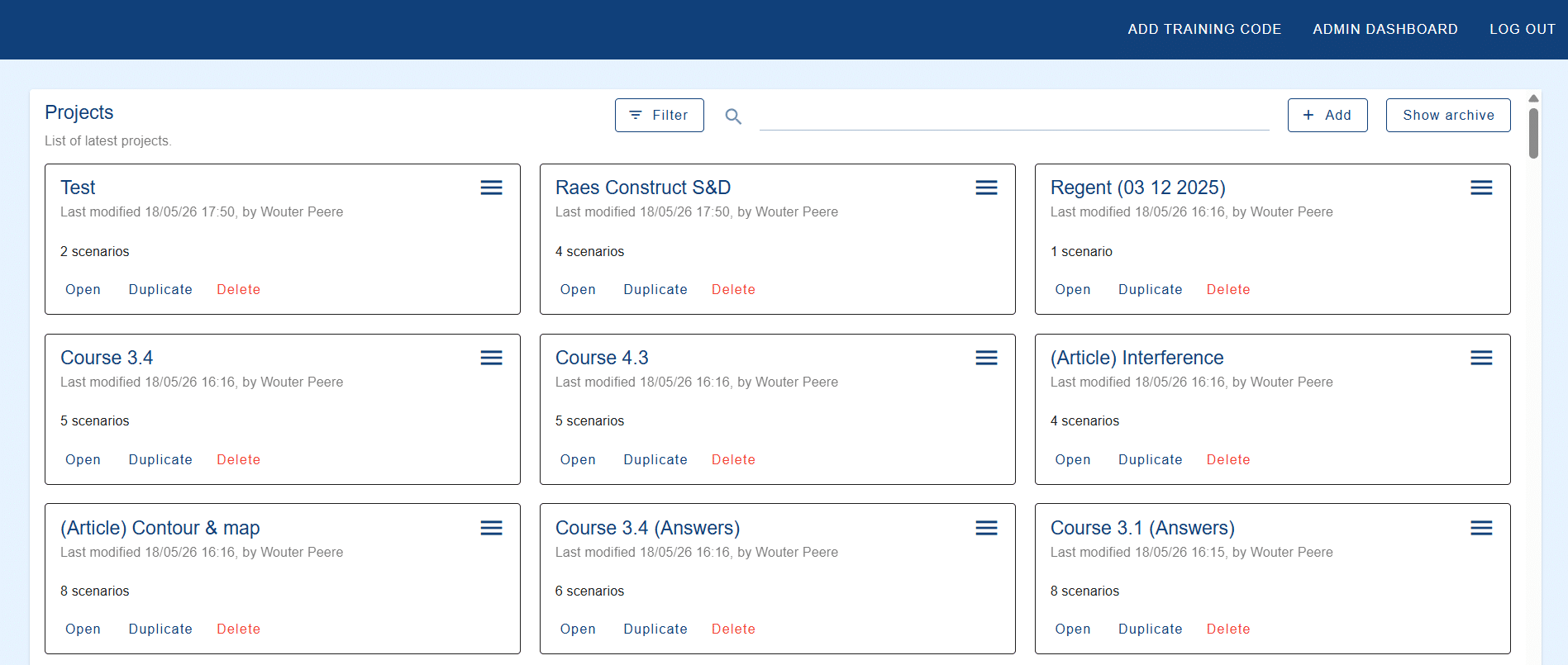
Although you have the possibility to search through these projects at the top of the page, there is no real structure to them. Therefore, in the next subsections, we will discuss the different tools now available in GHEtool Cloud to organise your projects according to your own needs.
!Note
Because not every company is the same, we have made this system quite flexible and customisable. In that way, both drillers and engineering firms, large and small, can create a structure that is useful to them.
Archive projects
One way to structure your projects is to clean up all the projects that are finished and no longer require any attention. Instead of deleting them, you can click on the menu button at the top of the card and select ‘Archive’. This will remove the project from the project list, while still storing it in your archive should you need it later. You can easily access your archived projects by clicking on the ‘Show archive’ button located in the top right corner. If you need a project again, you can unarchive it by clicking on the menu button and selecting ‘Unarchive’.
!Note
When searching through your projects, archived projects are not included by default. If you also want to search through archived projects, you need to enable the ‘Show archive’ option as well.
Project templates
Project templates have been part of GHEtool Cloud since the very beginning, but they might still be a hidden gem for some of you. Project templates can be useful when you always perform calculations in a certain way that is specific to your country or company. This can include, for example, a specific load profile, temperature and simulation settings, borehole heat exchanger design, etc.
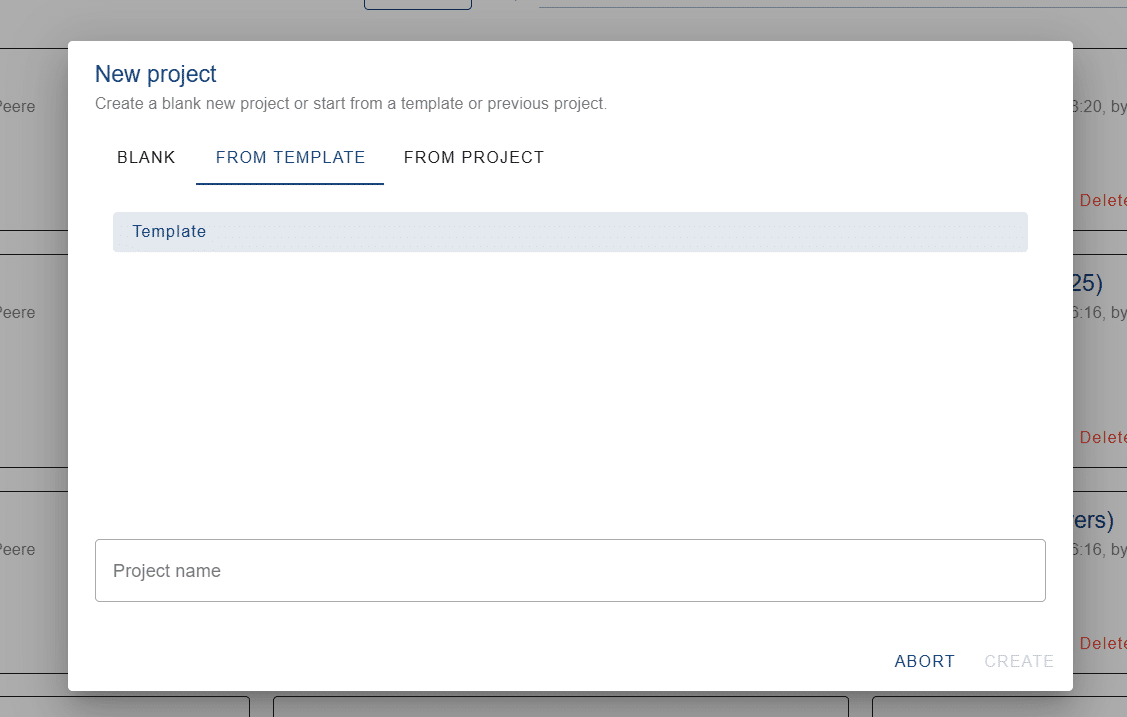
To use a project template, you can create a project according to your own preferences, go to the menu, and click on ‘Set as template’. This marks the project as read-only, meaning it cannot be removed or changed accidentally. When you create a new project afterwards, you will immediately see your template listed in the pop-up window, like the one shown below.
If you want to make changes to the template, you first have to unset it as a template so it becomes a regular project that you can edit again.
Project colours
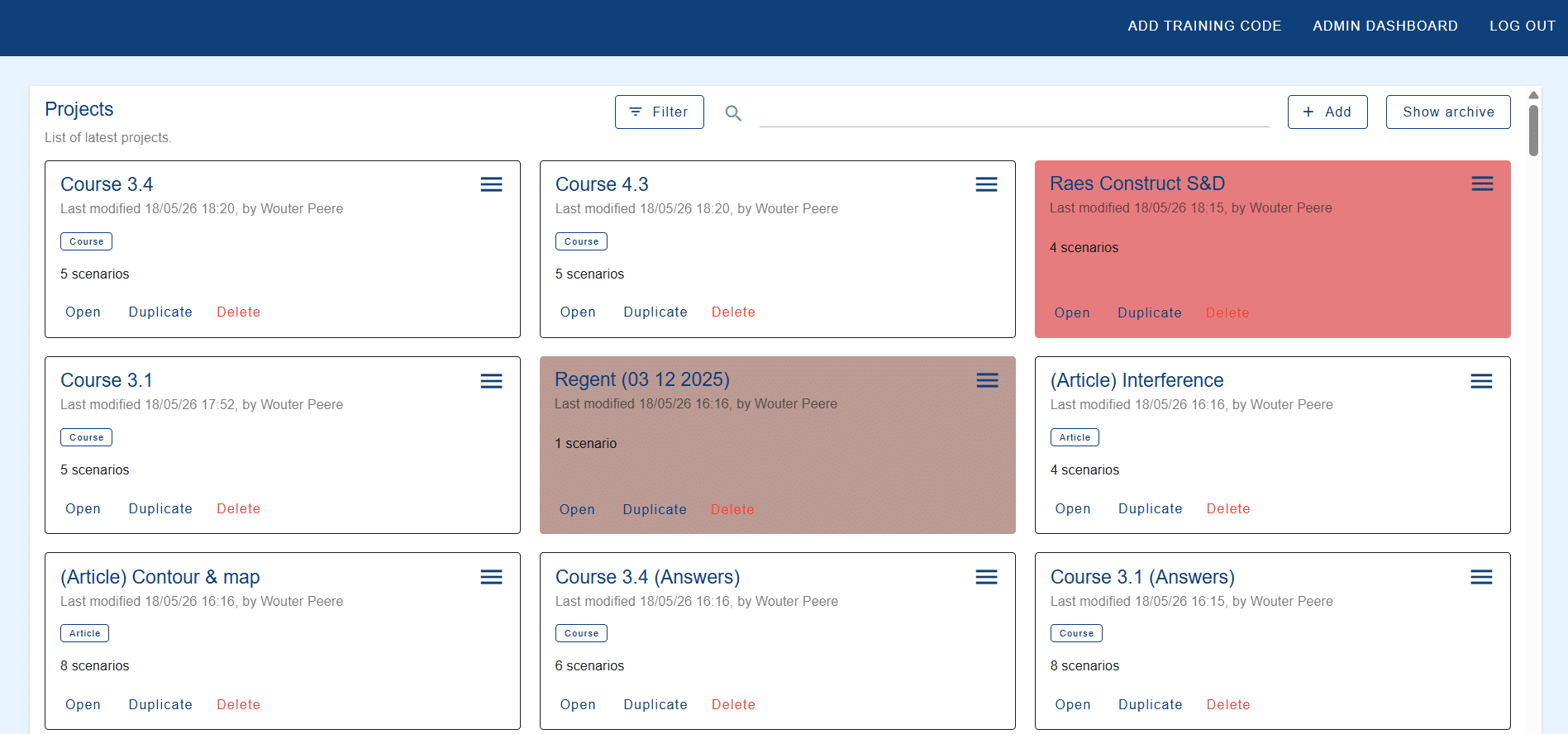
A new way to structure your projects is by adding a background colour to them. In GHEtool Cloud, you have the option to select one of seven colours (excluding white) to draw attention to a certain project. One possible colour code could be that urgent projects are marked in red, while stale projects (or projects for which you are still waiting for information) are marked in brown.
Besides adding a clear visual distinction to your projects, it is also possible to filter projects by colour. In the example above, this would give you a clear list of all urgent and/or stale projects.
Project labels
Another way of classifying projects is by labelling them. These labels can be created in the ‘Admin dashboard‘ by your administrator. The labels can represent anything you want: installers who typically work with different heat pump brands can create labels for each brand, while engineering firms working on different types of projects can create labels for each category, etc.
Once labels are assigned to a project, it becomes easier to filter your projects and only display the ones with a specific label.
Final situation
In the screenshot below, an example is shown of what your project dashboard could look like with labels and colouring.
Conclusion
Project management is important, especially when you are performing a large number of geothermal simulations. With this new update, it is easier than ever to structure your projects the way you like and create a project management system tailored to your needs.
References
- Watch our video explanation over on our YouTube page by clicking here.